The Type list in the Product data box offers Phoca Cart's seven types: Physical, Digital (downloadable), Mixed (physical and digital), Price on demand, Gift voucher, Bundle and Subscription. They are the same choices, stored the same way, as in Phoca's editor.
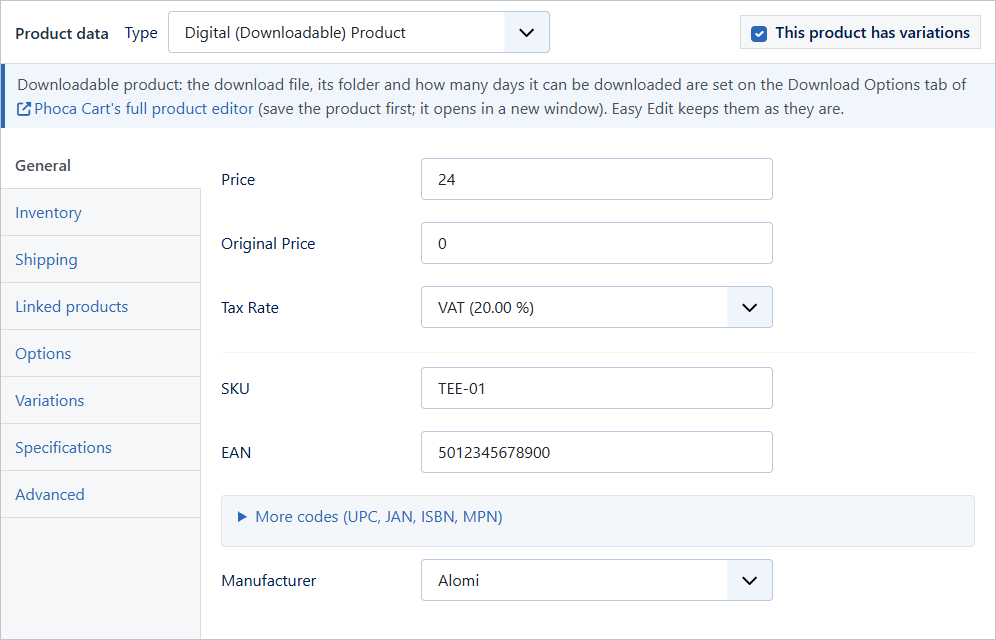
Some types have settings of their own. For those, a note under the type says where they are set in Phoca's editor:
| Type | Its own settings, in Phoca Cart's editor |
|---|---|
| Digital, Mixed | Download file, folder and days: Download Options tab |
| Gift voucher | Voucher types (name, picture, description, expiry): Publishing Options tab |
| Bundle | Products in the bundle: Related Products tab |
| Subscription | Billing period, sign-up fee, trial and grace period: Subscription tab |
Easy Edit keeps all of these settings as they are, whichever type you choose and however often you change it.