Skip to the main content

Webal Slideshow

Big pictures with words over them, one at a time, for the top of a page or a showcase band.

Webal Slideshow shows one slide at a time: a picture with a title, a subtitle and up to two buttons over it, or the whole slide as one link. The words stay easy to read on any picture. Below, the same module in four settings, each with the steps to set it up.

These four settings are only a sample. Every option of Webal Slideshow can be combined with the others, so it can look many more ways than shown here: each option is explained in the options of the Webal Slideshow manual.

On this page

  1. Words on a dark layer
  2. A panel behind the words, sliding, with thumbnails
  3. Slow zoom, the whole slide is a link
  4. A very wide slideshow with centred words, in dark colours

Words on a dark layer

Four slides with the words at the middle left on a dark layer, a button on each slide, and arrows and dots.

Saltmere Pier at dusk, its lamps lit and the sky turning purple above the sea

Welcome to Saltmere

A harbour, two beaches and a pier, two hours from the city.

The lighthouse on the harbour breakwater against an orange sunset

Lighthouse open day

Climb 112 steps for the best view on the coast. First Saturday of every month.

Colourful houses and small boats around Saltmere harbour

Fresh from the boats

Crab, lobster and mackerel from the Quay Street stalls, every morning from 7.

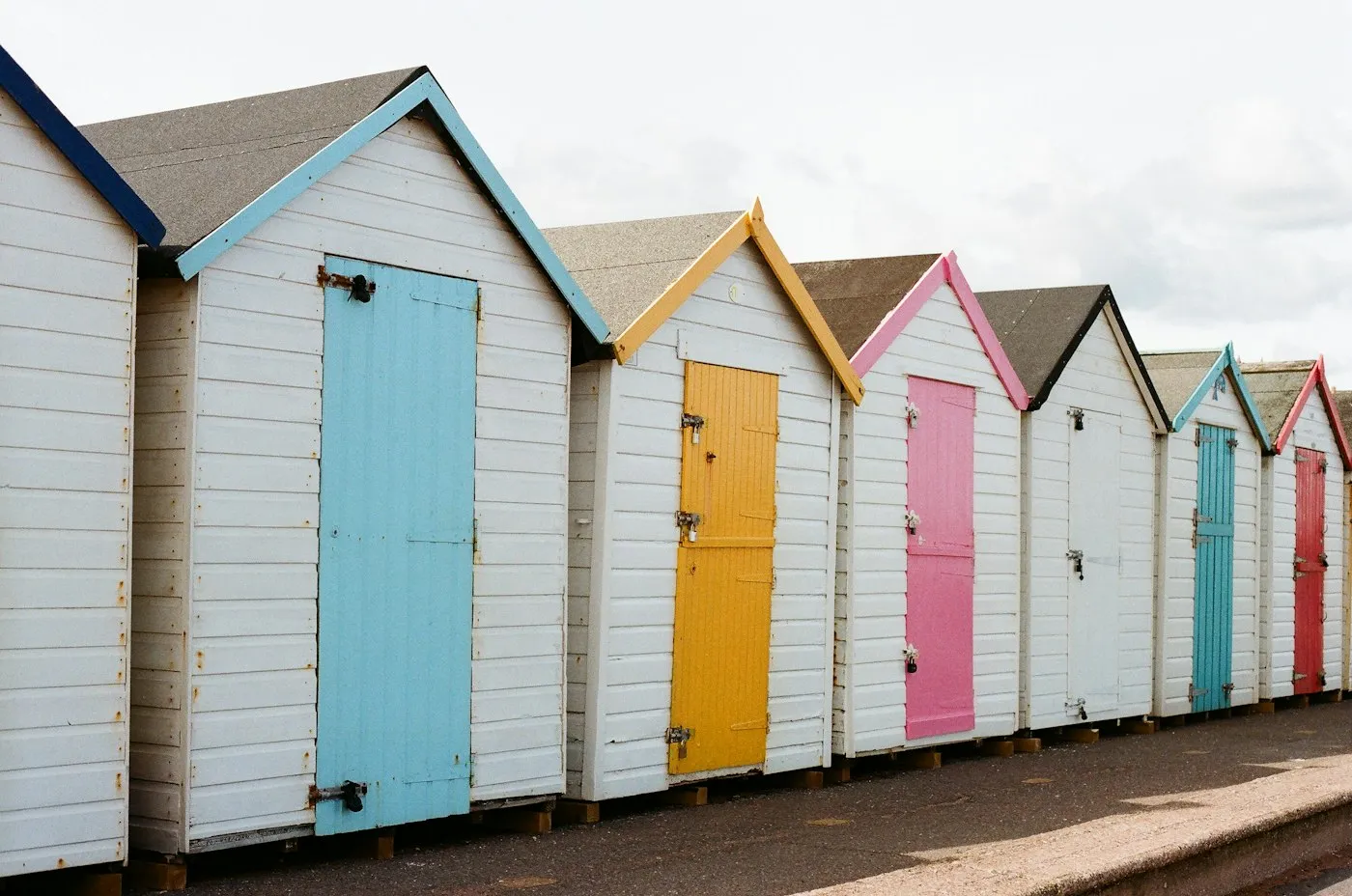
A row of white beach huts with pastel doors

Beach hut hire

Hire a hut by the day from £18 or by the week from £95.

How to set this up

In the administrator choose Content, then Site Modules, press New and choose Webal Slideshow.

  1. On the Module tab, keep Slides come from on Slides I type here. Under Slides, press Add for each slide. Choose the Image, type its Alternative text, then type the Title and Subtitle.
  2. Type the First button words. In First button link, set Link to to A web address (URL) and type the Web address.
  3. On the Look tab, set Height to Medium, keep The words sit on on A dark or light layer over the whole picture and Where the words sit on Middle, at the start.
  4. On the Controls tab, keep Arrows on Inside the slider and Dots or thumbnails on Dots.
  5. Choose the Position, press Save, then pick the page on the Menu Assignment tab.

A panel behind the words, sliding, with thumbnails

The words sit on a solid panel at the bottom left. The slides slide sideways, and small pictures below jump to a slide.

Saltmere Pier at dusk, its lamps lit and the sky turning purple above the sea

Welcome to Saltmere

A harbour, two beaches and a pier, two hours from the city.

The lighthouse on the harbour breakwater against an orange sunset

Lighthouse open day

Climb 112 steps for the best view on the coast. First Saturday of every month.

Colourful houses and small boats around Saltmere harbour

Fresh from the boats

Crab, lobster and mackerel from the Quay Street stalls, every morning from 7.

A row of white beach huts with pastel doors

Beach hut hire

Hire a hut by the day from £18 or by the week from £95.

How to set this up

Open your Webal Slideshow module from Content, then Site Modules.

  1. On the Look tab, set Height to Wide picture, 16 by 9, The words sit on to A panel behind the words, Where the words sit to Bottom, at the start and Width of the words to Narrow.
  2. Set Button style to Outline primary.
  3. On the Controls tab, set How a slide changes to The slides slide. In the Slideshow group, set Dots or thumbnails to Thumbnails.
  4. Press Save & Close.

Slow zoom, the whole slide is a link

The slides move on by themselves, each picture zooms very slowly, the words rise in, and pressing anywhere on a slide follows its link.

Saltmere Pier at dusk, its lamps lit and the sky turning purple above the sea

Welcome to Saltmere

A harbour, two beaches and a pier, two hours from the city.

The lighthouse on the harbour breakwater against an orange sunset

Lighthouse open day

Climb 112 steps for the best view on the coast. First Saturday of every month.

Colourful houses and small boats around Saltmere harbour

Fresh from the boats

Crab, lobster and mackerel from the Quay Street stalls, every morning from 7.

A row of white beach huts with pastel doors

Beach hut hire

Hire a hut by the day from £18 or by the week from £95.

How to set this up

Open your Webal Slideshow module from Content, then Site Modules.

  1. On the Look tab, set Height to Tall, Where the words sit to Bottom, centred, Width of the words to Wide and A slide links with to The whole slide. The buttons then give way to one link on the title.
  2. On the Controls tab, set Slow zoom to Zoom towards the centre. In the Slideshow group set Autoplay to Yes, Loop to Yes, Arrows to No arrows and Dots or thumbnails position to Over the bottom of the slides. A Pause button then shows by itself.
  3. On the Animation tab, set Words appear to Rise and fade in.
  4. Press Save & Close.

A very wide slideshow with centred words, in dark colours

A cinema-shaped slideshow with a stronger layer, narrow centred words and large outline buttons.

Saltmere Pier at dusk, its lamps lit and the sky turning purple above the sea

Welcome to Saltmere

A harbour, two beaches and a pier, two hours from the city.

The lighthouse on the harbour breakwater against an orange sunset

Lighthouse open day

Climb 112 steps for the best view on the coast. First Saturday of every month.

Colourful houses and small boats around Saltmere harbour

Fresh from the boats

Crab, lobster and mackerel from the Quay Street stalls, every morning from 7.

A row of white beach huts with pastel doors

Beach hut hire

Hire a hut by the day from £18 or by the week from £95.

How to set this up

Open your Webal Slideshow module from Content, then Site Modules.

  1. On the Look tab, set Height to Very wide picture, 21 by 9, Where the words sit to Middle, centred, Width of the words to Narrow and Layer strength to Strong.
  2. Set Button style to Outline primary and Button size to Large.
  3. On the Controls tab, in the Slideshow group, set Arrows to Outside the slider.
  4. On the Layout tab, under Colour scheme, choose Dark.
  5. Press Save & Close.

Every module, one licence

Webal Blocks: 39 modules for Joomla 6, with Webal Layouts and a manual for every block. From £59 a year, including VAT.