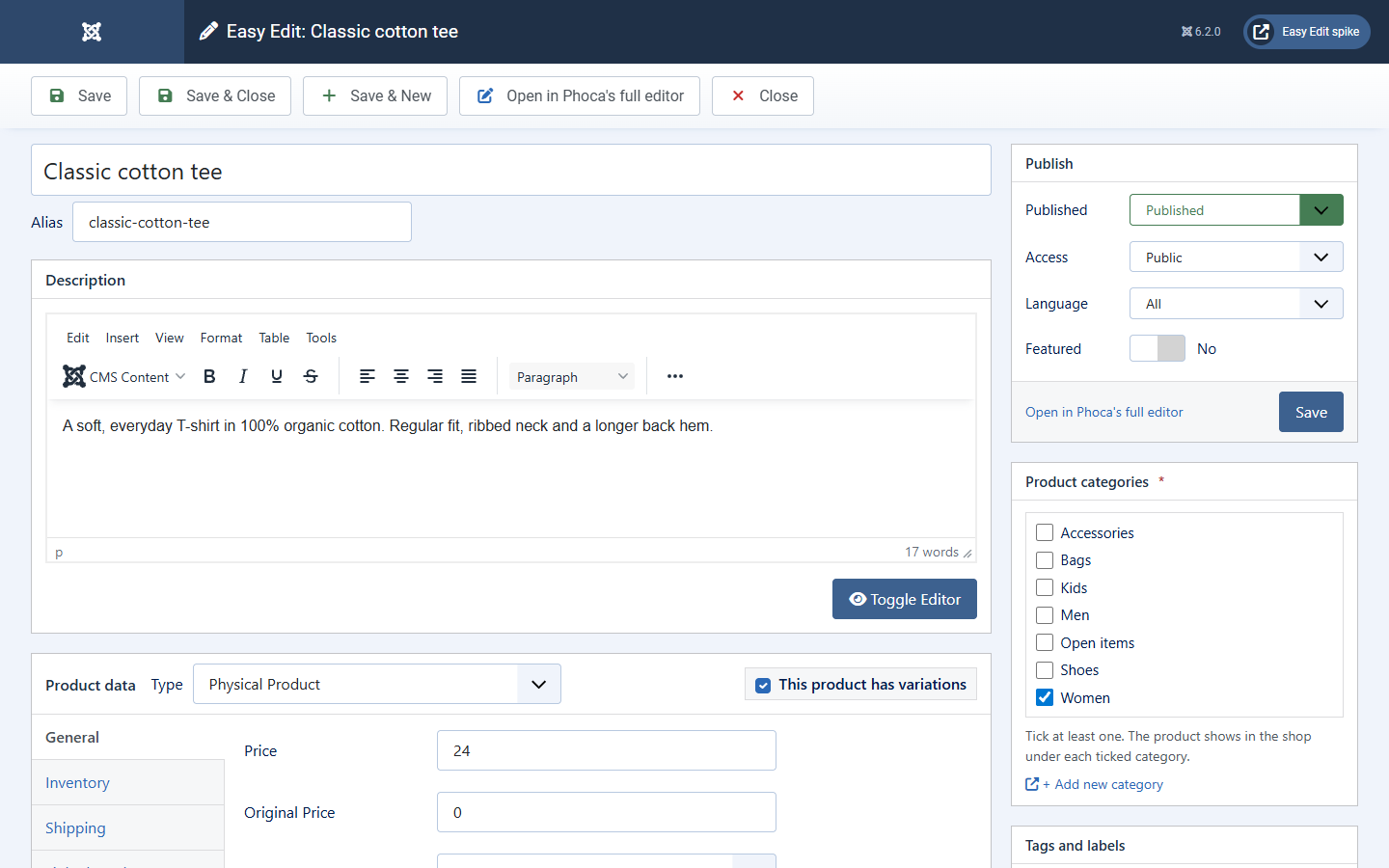
From top to bottom on the left: the product name, its web address (alias), the description, the Product data box with its side tabs, and the short description. On the right: Publish, Product categories, Tags and labels, Product image and Product gallery.
Every input is Phoca Cart's own field, so editors, pickers, categories and checks behave as they do in Phoca's editor. A product open in Easy Edit is locked for others, exactly as in Phoca's editor.
Wherever a note on the screen mentions Phoca Cart's full product editor, those words are a link that opens this product there in a new window. Save the product first: what you have typed in Easy Edit only reaches Phoca's editor once it is saved. A new product has to be saved before it can be opened there.