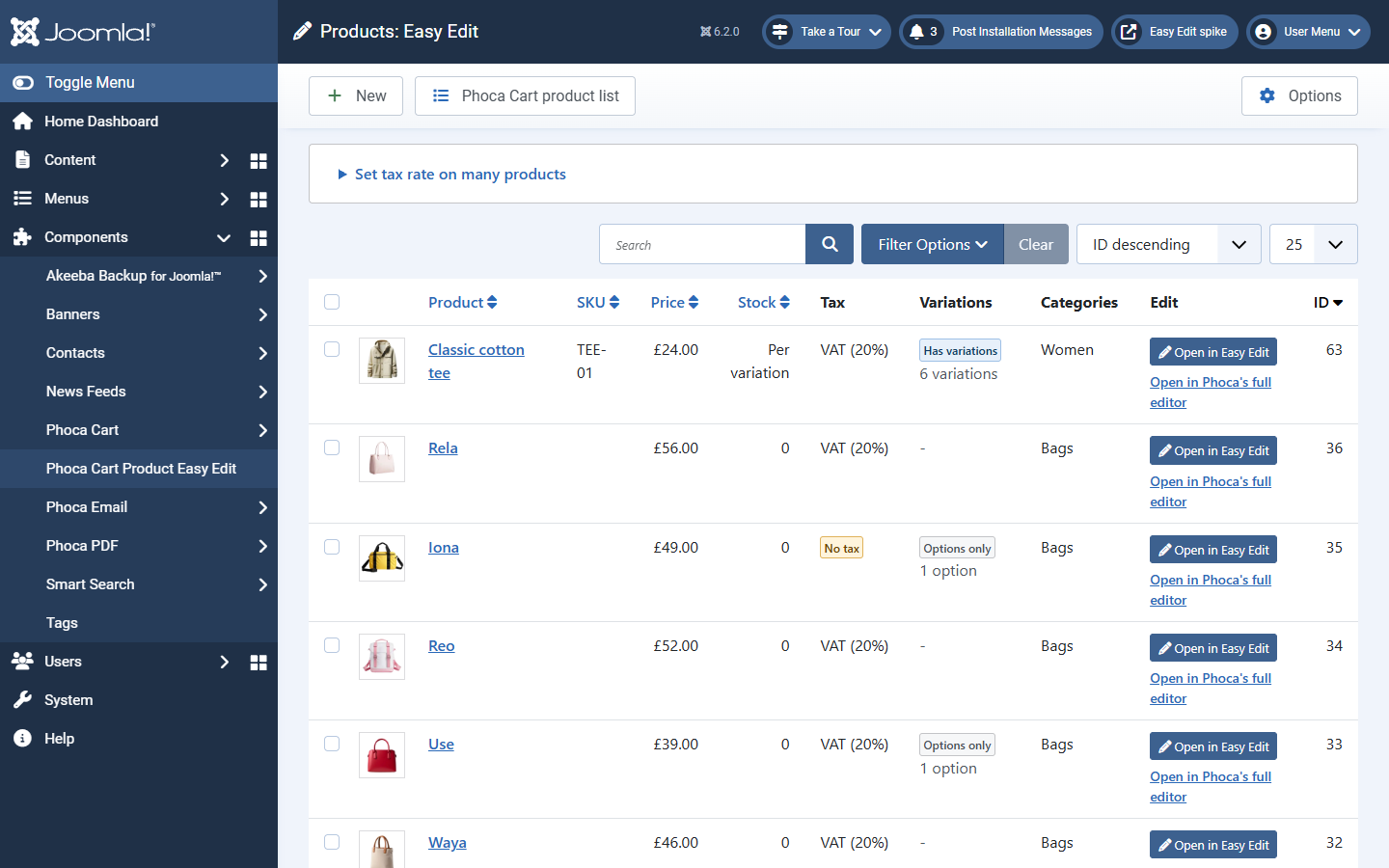
Each row shows the picture, name, SKU, price, stock, tax rate, variations and categories, with two ways to edit:
- Open in Easy Edit (the blue button), or click the product's name.
- Open in Phoca's full editor, for settings Easy Edit does not show.
Reading the columns
| You see | It means |
|---|---|
| Stock: Per variation | Each variation keeps its own stock; the product's single stock figure is not used. |
| Tax: VAT (20%) | The product's tax rate. |
| Tax: No tax (amber) | No tax rate is set. Usually a mistake to fix. |
| Variations: Has variations, 6 variations | A parent product with its own variations. |
| Variations: Options only, 1 option | The customer chooses options, but there are no separate variations. |
| Unpublished badge under the name | The product is not shown in the shop. |
Finding products
Type in Search, or open Filter Options to filter by status, category, variations (has variations, options only, no options) or tax rate (one rate, or no tax). Sort with the drop-down beside the filters. On a narrow screen the table scrolls sideways inside its own box.
The toolbar has New (a new product), Phoca Cart product list (Phoca's own list) and Options (permissions, for Super Users).