Webal Phoca Pages checks every layout and tells you what it finds, in plain sentences, in the builder and on the layouts list.
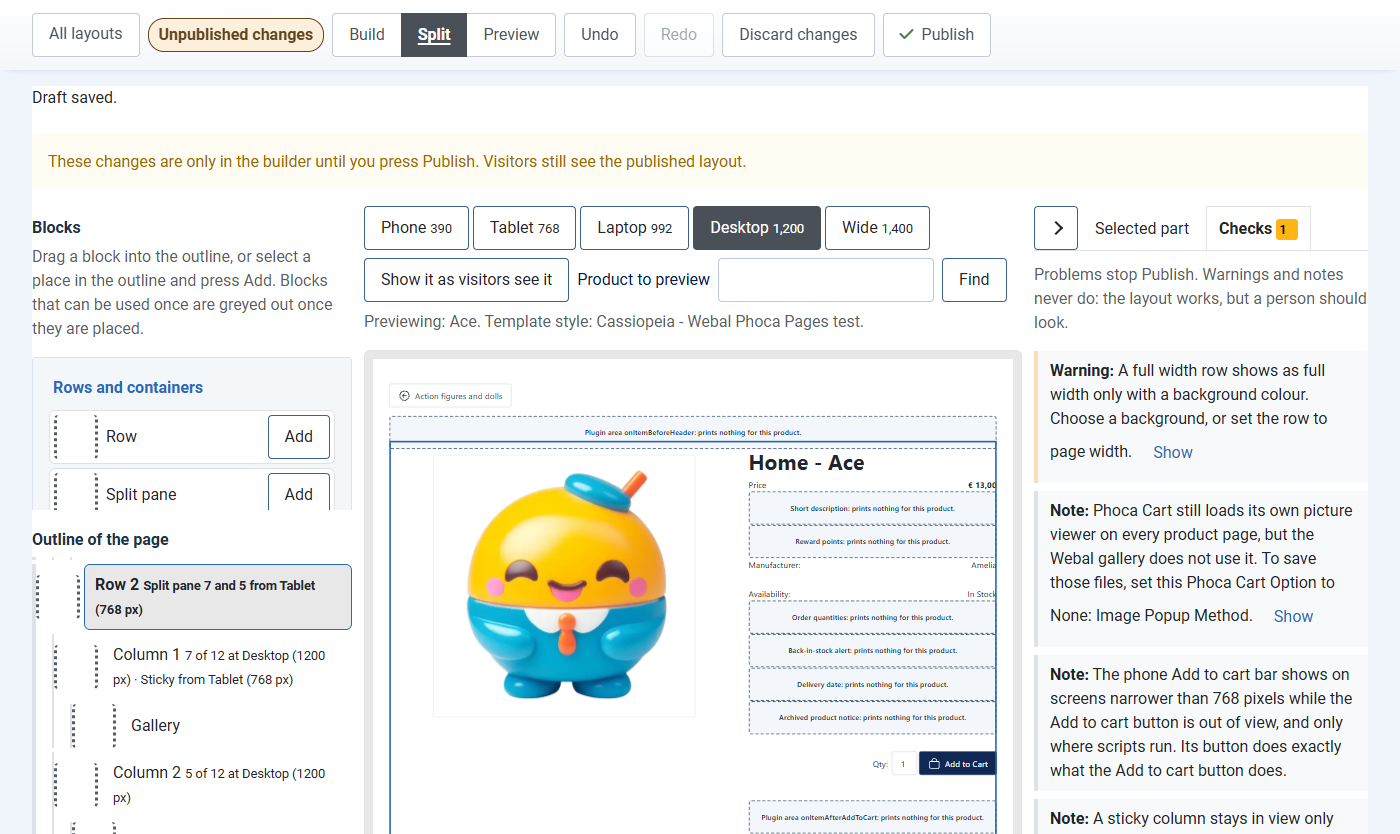
Problems, warnings and notes
- Problems stop Publish: the layout could not work as it is. For example, a page needs exactly one Add to cart block, and only one title can be the main heading (h1).
- Warnings never stop Publish: the layout works, but a person should look. For example, plugin areas you have not placed, a full width band without a background, or a phone order that moves Add to cart.
- Notes never stop anything: they say how a setting behaves. For example, that a sticky column only moves when the column beside it is taller, or that a module position has no module yet.
In the builder, the Checks tab lists them. Press Show beside one to select the part it is about. When there is nothing to report, the tab says everything looks right.
Watch it: fix a warning and find Publish
A video of about 20 seconds, with no sound (MP4; also as WebM). Its steps:
- In the builder, open the Checks tab: it counts one warning.
- Read the warning: a full width band needs a background colour.
- Press Show beside it: the row it is about is selected.
- In Background, choose one of the light colours: here Light grey.
- Open the Checks tab again: the warning has gone.
- Warnings and notes never stop Publish: press it when the layout is ready (not pressed here).
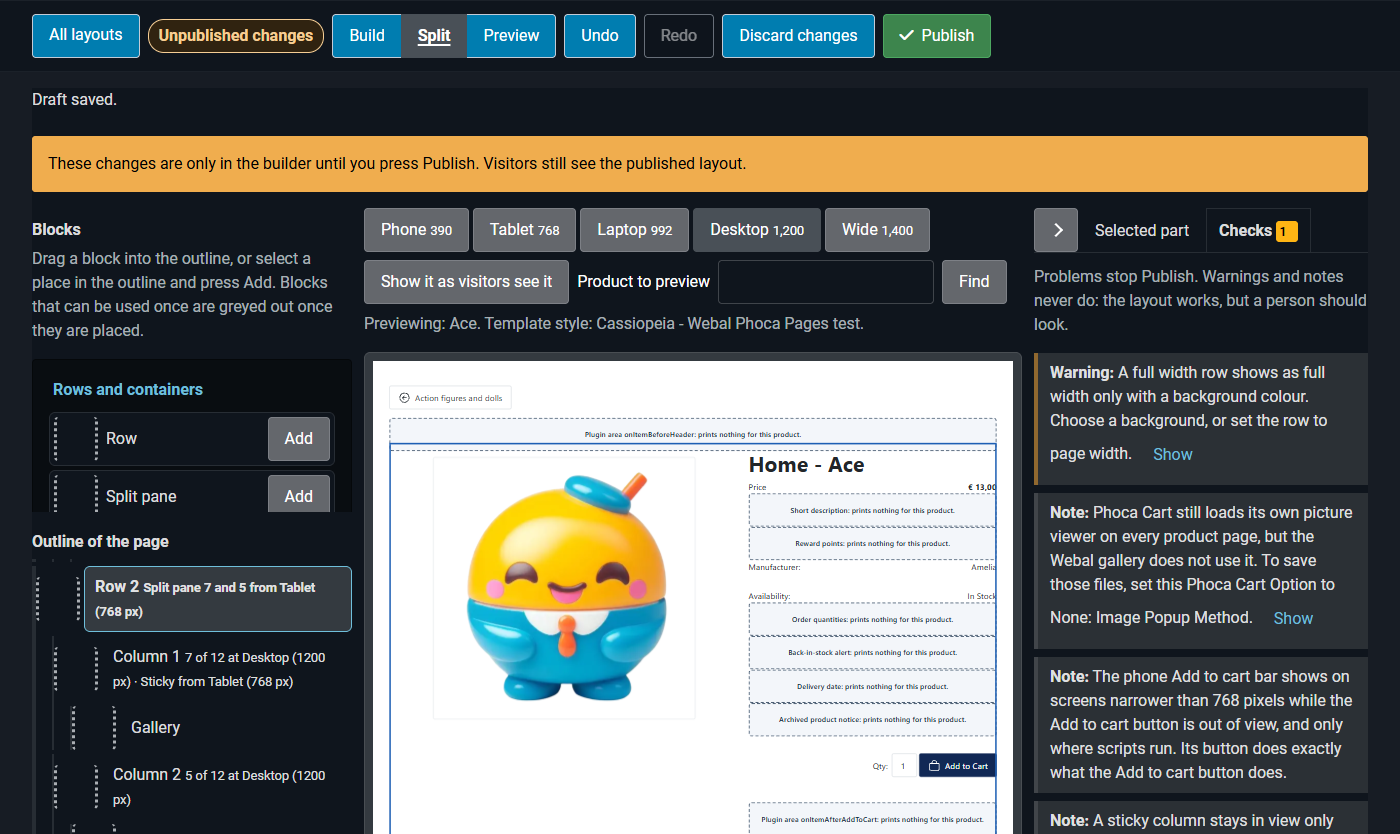
The checks on the layouts list
The layouts list has its own Checks:
- every saved layout's problems, warnings and notes;
- Checks of the category rules (see Category rules);
- whether the Phoca Cart version on your site is one Webal Phoca Pages was tested with;
- whether Phoca Cart's product page has changed since then, after a Phoca Cart update;
- whether the Webal Phoca Pages system plugin is switched on;
- product pages that had to fall back (below).
Product pages that had to fall back
A product page never breaks. What cannot be printed from the layout falls back to Phoca's own page, or to Phoca's own version of that part, and the layouts list notes it, with the latest time it happened:
- the layout a page was meant to use is missing or has a problem: the next choice in line was shown, another layout or Phoca's own page;
- Phoca Cart gave the page something in a form Webal Phoca Pages does not read, which usually follows a Phoca Cart update: Phoca's own page was shown;
- an error happened while the page was printed: Phoca's own page was shown;
- a Phoca Cart file that one block uses was not found: that part was printed as Phoca's own page prints it;
- the Webal gallery could not be printed: Phoca Cart's own gallery was shown in its place.
The details are in the site's log file "com_wblphocapages.php", in Joomla's logs folder. Press Clear notes once you have dealt with them.
Phoca Cart updates
Webal Phoca Pages records which Phoca Cart version it was tested with (6.1.9) and what Phoca Cart's product page looked like then. After a Phoca Cart update, the checks say if the version is new to it or if the product page has changed. Product pages keep working: a part that cannot be printed shows Phoca Cart's own version of it. Look for an update of Webal Phoca Pages.
Next: Accessibility.