Webal Layouts is a layout builder for Cassiopeia, the template that comes with Joomla. You arrange the parts of a page on one screen, and a live preview shows the result while you work.
A layout is the plan of a page. It says which sections the page has, how many columns each section has, and which module positions sit inside them. A module position is a named place in your template where modules can go.
What you get
Everything arrives in one package, which you install in the same way as any other Joomla extension. The package holds three parts.
- A component called Webal Layouts: it holds the list of your layouts and the builder. You find it under Components in the administrator area.
- A plugin called System - Webal Layouts: it works in the background and protects your saved layouts. See Where a saved layout lives.
- A child theme called Cassiopeia - Webal Layouts: a child theme is a small theme that borrows everything from its parent, which here is Cassiopeia. It looks and works like Cassiopeia, and it draws the pages that you design.
What you can do with it
- Build a page from sections and columns, between the header and the footer of Cassiopeia.
- Add the Component, with a sidebar on the left or on the right, and put rows in its main column beside the sidebar.
- Design the page that visitors see when a page is not found (the 404 page), and the page that shows while your site is offline.
- See every change in a live preview before you publish it.
- Check a layout for problems, in plain words, before it goes live.
- Choose which pages use a layout, and share a layout with another site through a small file.
What it is not
- It is not a new template: the header and the footer stay exactly as Cassiopeia draws them. The header holds the logo, the menu and the search, and you set what is in it under Modules and in the template style.
- It does not hold your content: your articles, menus and modules still hold the words and pictures. A layout only decides where each position sits on the page.
- It does not carry modules with it: When you export a layout, no module goes with it. A module appears in a position because you assigned the module to that position.
- It adds nothing extra to the page that visitors load: We measured a page drawn from a layout against the same page built by hand. Both loaded the same style sheets and the same scripts. See Where a saved layout lives.
- It does not choose your brand colours: The backgrounds of sections and rows use the standard Cassiopeia colours. See Colours and user.css.
The fixed blocks
A few blocks in a layout are fixed, because they print something that Joomla itself provides. They are the page content, the error message, the offline notice and login, and the breadcrumb trail. Everything else is an ordinary module position that you name yourself. The page Error and offline pages explains each fixed block.
Try it
- Install the package, as described on Installing Webal Layouts.
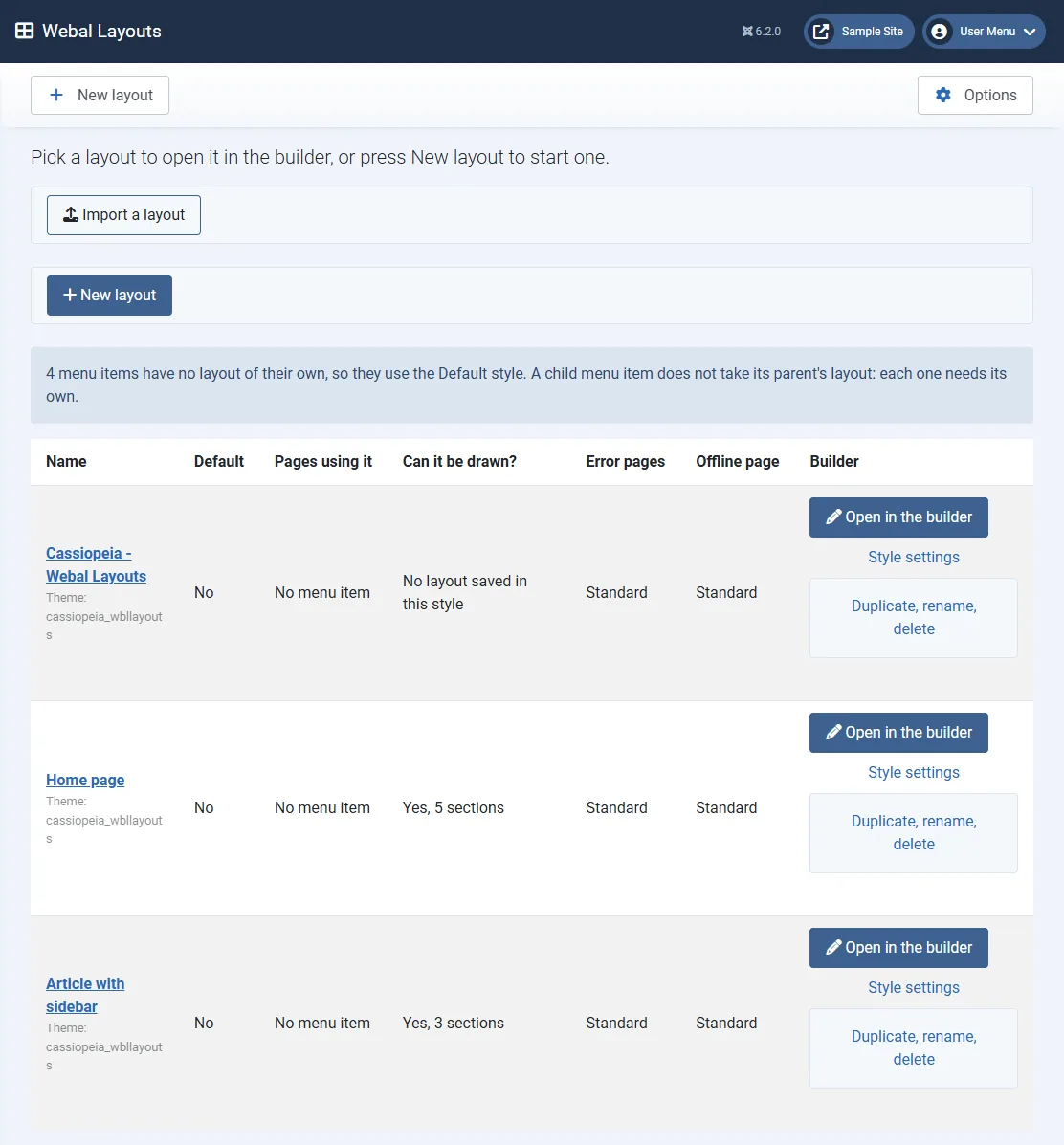
- In the administrator area, open Components, then Webal Layouts.
- Read the sentence at the top: "Pick a layout to open it in the builder, or press New layout to start one."
- On a fresh install, a blue note says "No layouts yet. Nothing has been made yet. A layout appears here once you create one." The style that the package added is listed as "No layout saved in this style". Look for the New layout button. The next pages show what to do with it.
Tip. Try everything on a test site first. A layout that you publish changes how real pages look.