Webal Blocks comes as one zip file, and you install it with the Joomla installer in the same way as any other extension.
Before you start
- Check that your site meets the requirements. The installer also checks the PHP and Joomla versions, and it stops with a message if either of them is too old.
- Make a backup of your site, which is a good habit before you install any extension.
- Sign in to the administrator area as a Super User.
The package file
The file is called pkg_wblblocks_v, then the version number, then .zip, and it is about 3 MB. Keep it as one zip file and do not unzip it, because the package holds all of the parts inside it: the component, the modules, the plugins and the child theme.
Install it
- Open System, then Install, then Extensions.
- Choose the tab Upload Package File.
- Drag the zip file onto the box that says Drag and drop file here to upload, or choose Or browse for file and pick the zip.
- Wait until Joomla shows a message, and do not close the page while it works.
- Read the message. A success message means that the install worked, and an error message says why the install stopped.
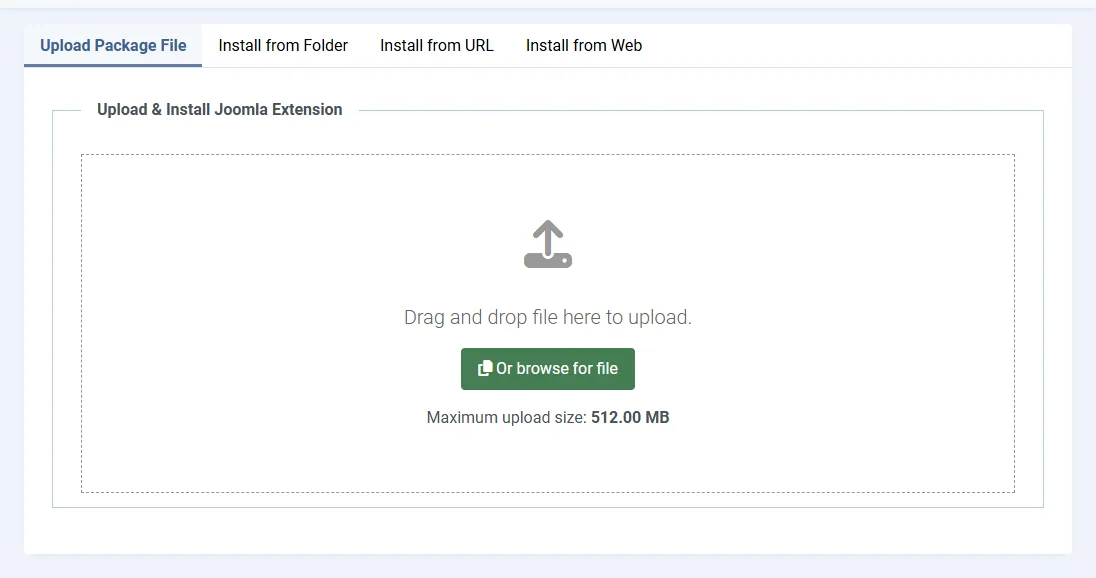
Install the Webal Blocks package: a short video with no sound. Its steps:
- Open the System menu on the left.
- Under Install, choose Extensions.
- Choose the tab Upload Package File.
- Choose Or browse for file and pick the package zip.
- Wait for the result message.
- The success message says the package was installed.
If the installer refuses
The installer checks two things before it writes any file, and if a check fails, nothing is installed.
- "Webal Blocks needs PHP 8.3 or later. This site runs PHP" and the version. In this case, ask your host to move the site to PHP 8.3 or later.
- "Webal Blocks needs Joomla 5.4 or later. This site runs Joomla" and the version. In this case, update Joomla first.
If the upload itself fails, check the "Maximum upload size" shown on the install screen, because the file must be smaller than that. See Server requirements.
What you have now
The install adds the Webal Blocks component, 39 modules, two plugins and the child theme Cassiopeia - Webal. The next page says exactly what the install changes on your site and what it leaves alone, and after that you can check the install.
Tip Do the first install on a copy of your site if you can, so that you can look around before you install on the live site.